How AI is Changing the Role of UX Designers in 2026 — Threat or Opportunity?
Is AI replacing UX designers in 2026? Discover how AI is reshaping design roles, which skills are now essential, and how smart designers are turning AI into their biggest career advantage.

Is AI replacing UX designers in 2026? No. AI is not replacing UX designers — it is redefining the role. In 2026, AI automates repetitive execution tasks like wireframing, asset resizing, microcopy generation, and research synthesis. This frees designers to focus on strategy, empathy, ethics, and critical judgment — the skills no algorithm can replicate. According to Figma’s 2026 State of Design report, 82% of design leaders say their need for designers has stayed the same or increased. The threat is not AI. The threat is designers who refuse to evolve.
The Question Every Designer Is Googling Right Now
Open any design community — Dribbble, Layers, LinkedIn, your team’s Slack — and you will find the same anxiety playing out daily.
“Will AI take my UX job?”
It is a fair question. In 2026, Figma AI generates full UI layouts from a single text prompt. Adobe Firefly rewrites microcopy in seconds. AI research tools summarise thousands of user sessions overnight. And a widely-shared report described a CEO who replaced his entire junior UX team with AI agents — keeping just one senior designer to curate, validate, and take accountability for what the AI produced.
The anxiety is real. But the question is wrong.
The better question is: What kind of UX designer will you choose to become in an AI-powered world?
This blog gives you a straight answer — backed by real 2026 data, real tools, and real shifts happening inside design teams right now. We will break down exactly what AI is taking over, what it can never replace, and how to position yourself not just to survive this shift, but to lead it.
The 2026 Data Every Designer Needs to See
Let us ground this in numbers before we get into nuance.
Stat
Source
91% of designers now use AI tools in their work (up from 54% in 2025)
AI in Design Report 2026
3 in 4 designers use AI every single day
AI in Design Report 2026
82% of design leaders say need for designers increased or stayed the same
Figma State of Designer 2026
78% of designers say AI speeds up their workflow
Figma AI Report 2025
Only 58% say AI improves quality — 40% still don't fully trust AI output
Figma AI Report 2025
68% of UX designers believe AI will enhance, not replace, their roles by 2030
ALF Design Group 2026
35% faster prototyping reported by designers actively using AI tools
Industry Research 2026
70% of design teams now emphasise AI oversight over AI execution
Medium / Dolly Borade, Apr 2026
What AI Is Actually Replacing (Be Honest With Yourself)
To understand the opportunity, you need to honestly audit what AI is handling in 2026. Here is the real list.
Wireframing and Initial Layout Generation
Tools like Figma’s First Draft feature let designers describe a screen — “a SaaS onboarding flow for first-time users who feel anxious about the product” — and receive multiple working layout variants in seconds. What once took two to four hours of blank-canvas iteration now takes minutes.
This is not a threat. It is a relief. Wireframing was always a means to an end. Getting an idea on screen fast — that was the value. Now AI handles the scaffolding. Designers handle the decisions.
Microcopy and UX Writing
AI-powered writing tools integrated directly into Figma now generate contextual button labels, error messages, empty states, and onboarding copy — while automatically respecting character limits and design context. Generic Lorem Ipsum is finished.
Research Synthesis at Scale
Instead of manually reviewing twenty usability recordings, designers can now feed hundreds of sessions, transcripts, and survey responses into AI systems that surface themes, cluster friction points, and flag patterns in minutes. One practitioner described it cleanly:
“AI surfaces the signal. Designers interpret the story.”
AI might detect that users who abandon checkout most often hesitate right after seeing delivery fees — even when they never mention it in interviews. That insight is powerful. But it is incomplete without a human who understands why trust breaks down at that specific moment.
Asset Resizing, Responsive Variants, Component Management
Tasks that once consumed entire afternoons — creating responsive breakpoints, exporting assets in multiple formats, adapting components across screen sizes — are now largely automated inside modern design toolchains.
What This Means for Entry-Level Roles
Here is the uncomfortable truth: the CEO story at the start of this blog is not an outlier. Junior roles built primarily on execution — resizing, wireframing, producing mockup variants — are at genuine risk. Not because designers are bad at these things, but because AI does them faster and cheaper.
The designers surviving and thriving in 2026 are those who moved beyond execution. The question is not can you use Figma. It is can you make decisions that Figma cannot make for you.
What AI Cannot Do (And Why This Is Your Advantage)
This is where the real opportunity lives.
1. Understand the Human Behind the User
AI can tell you that 34% of users abandon your app at step three. It cannot tell you that those users are overwhelmed new parents trying to complete a task on a phone while managing two children, and that what they need is not a simpler flow but a pause and a moment of reassurance.
Human empathy — sitting with a user, hearing what they are not saying, and translating that into a design decision — remains irreplaceably human. UX design is about understanding users’ emotions, frustrations, and desires. AI lacks human empathy and emotional intelligence. AI can only work with existing data — it cannot anticipate cultural shifts, design trends, or new user behaviours the way human designers can.
2. Make Ethical Judgments
AI-driven systems can deprioritise certain users because they “convert less.” They can generate interfaces that technically function but subtly exploit cognitive biases. They can optimise for engagement at the cost of long-term wellbeing.
AI can make weak UX look polished. But judgment, taste, and accountability are the responsibility of the designer.
In 2026, ethical courage is a core design skill. Deciding what should be built and for whom, not just how to build it, requires a moral compass no model can generate. AI has no ethics. It doesn’t understand accessibility or inclusion — unless we build it in. That is your job. Be the conscience in the room.
3. Define the Right Problem to Solve
AI is extraordinary at solving the problem you give it. It is completely helpless at figuring out whether you are solving the right problem at all. Problem framing, research strategy, product vision — these belong entirely to you.
4. Navigate Stakeholder Reality
Getting a design approved has never been purely about the design. It is about understanding what your CPO is worried about this quarter, translating user pain into business metrics the CFO cares about, and knowing precisely when to push back and when to compromise. AI cannot read a room. You can.
5. Build Brand-Defining, Category-Creating Work
AI-generated design tends toward the statistically average — it produces what has worked before, not what has never been tried. Innovation at the level that creates category-defining products requires the human ability to make decisions that contradict the training data.
Companies like Apple and Airbnb did not build brand equity through statistically average decisions. They built it through human-led design rooted in cultural insight, emotional storytelling, and a willingness to be distinctive.
How the UX Role Is Evolving in 2026
The role is not disappearing. It is splitting into layers — and the most valuable layer is moving up the value chain.
From Executor → Strategist
Rather than hiring large teams of generalist designers, organisations are now shifting toward smaller, more specialised teams with stronger strategic and technical capabilities. Each designer on the team needs to carry more weight, own more decisions, and demonstrate clearer business impact.
From Tool Operator → AI Director
The most powerful reframe of 2026 is this: treat AI like a talented junior designer whose output you always review.
A senior designer’s job is not to execute — it is to direct, critique, and elevate. AI output needs the same rigour as a first draft from a junior team member. You review it. You identify the accessibility violations it missed. You fix the interaction states it got wrong. You push it past generic toward meaningful.
AI should be treated like a junior designer, whose work you would normally critique and evaluate rather than immediately accepting the output. The designers who understand this thrive. Those who either distrust AI entirely, or accept its output without scrutiny, will struggle.
From Screen Designer → Experience Architect
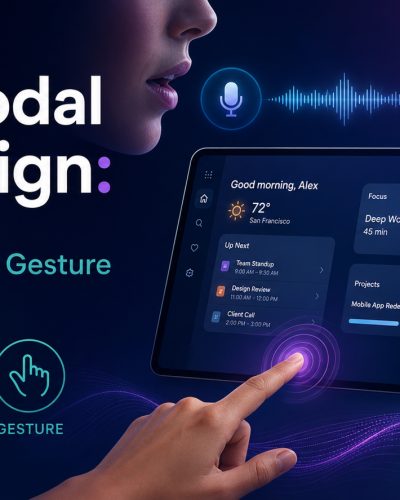
UX is expanding beyond screens. Multimodal interfaces — voice, touch, gesture, ambient interaction — require designers who think in systems, not just layouts. UX designers are no longer just “makers.” They are design thinkers and AI curators. They decide how AI fits into the experience, when it should step back, and how it aligns with human values.
Emerging job titles reflect this shift: AI UX Strategist, Experience Architect, Conversation Designer, Interaction Systems Designer.
The Skills That Define a High-Value Designer in 2026
Based on hiring trends, industry surveys, and real shifts inside teams, here are the six skills that matter most right now.
1. Prompt Engineering and AI Collaboration
Working with AI is itself a craft. If you are terrible at prompting, the output is going to be generic. Prompting is an art and a skill. Learning to give AI meaningful context, iterate on its outputs, and know when to discard versus refine is now a core design competency.
2. Strategic UX Thinking
Connecting design decisions to business outcomes — activation rates, retention, conversion, NPS — is no longer optional. Designers who speak the language of product strategy are the ones getting hired and promoted. A Paytm redesign team that used AI for initial mocks but brought human designers in specifically for trust signal A/B testing saw a 25% conversion lift. The key was empathy mapping cultural pain points — something AI could not provide.
3. Deep User Research Skills
Qualitative research — the kind that reveals why users behave the way they do — is becoming more valuable as AI handles quantitative pattern recognition. Soft skills like critical thinking, empathy, and storytelling are going to become even more valuable. As AI takes care of repetitive tasks and data crunching, you will naturally focus more on defining vision, solving complex problems, and connecting with users on a deeper level.
4. Design Systems Expertise
Designing a component is easy. Designing how fifty components interact across five platforms, three user types, and two years of product evolution — that is genuinely hard and genuinely valuable. Design systems expertise has never been more in demand.
5. Ethical Design Literacy
With great AI capability comes great designer responsibility. Understanding dark patterns, consent design, algorithmic bias, accessibility requirements (WCAG), and privacy-first UX is now a baseline professional expectation — especially with the European Accessibility Act in full force across markets in 2026.
6. Cross-Functional Communication
The designers thriving in 2026 are not just good with Figma — they are good in rooms. They can translate user pain into engineering constraints, present ROI to a CFO, and run a design sprint without losing stakeholder buy-in.
The Hidden Risk Nobody Is Talking About: Homogenisation
If there is a genuine threat worth naming in 2026, it is not job loss. It is design homogenisation.
When every designer uses the same AI tools with the same default prompts, the outputs start to look identical. Same layouts. Same copy patterns. Same visual logic. As AI-generated outputs become more common, the risk is not necessarily that AI replaces designers — it is that it lowers the average bar and threatens design craft. When everyone can generate something quickly, differentiation becomes harder.
Your taste, your perspective, your cultural insight, and your original design point of view are your most defensible competitive assets right now. Develop them relentlessly. The designers who stand out are not the ones prompting AI the fastest — they are the ones who know exactly when the AI is wrong, and have the judgment and confidence to override it.
The State of the UX Job Market in 2026
It is worth being honest about market reality, because the picture is more nuanced than either the doom narrative or the endless optimism suggests.
After the layoffs and hiring freezes of 2023–2024, the design job market began to stabilise in late 2024. Senior practitioners and generalist roles are recovering faster than entry-level positions, which remain scarce and highly competitive.
In a 2026 Figma survey, 82% of design leaders said their organisation’s need for designers has either increased or stayed the same, with many reporting 10–25% growth in demand.
By 2026, 70% of design teams use AI daily, with emphasis on oversight over execution. Demand surges for those blending empathy, strategy, and AI fluency, with roles evolving into “AI UX strategists.”
The signal is clear: the market is not disappearing. It is becoming more selective. Designers who can articulate strategic value, demonstrate measurable impact, and show genuine AI fluency are in a strong position heading into 2027 and beyond.
What to Do This Week, Month, and Quarter
This Week
Pick one AI tool — Figma AI, Adobe Firefly, or a research tool like Dovetail — and use it on a real current project. Not a tutorial. A real piece of work. Note where it helps, where it fails, and where it surprises you.
This Month
Audit your portfolio for impact language. Can you quantify the business outcomes of your design decisions? Conversion improvement, task completion rates, customer satisfaction scores — translate your craft into numbers that a CFO would understand.
This Quarter
Deepen one non-AI skill from this list: user research methodology, design systems architecture, service design, UX writing, or ethical design. These are the areas where AI is weakest and human expertise commands the highest value.
This Year
Build your AI literacy systematically — not just how to use AI tools but when and why, and critically, when to override them. The designers who will lead the next decade understand both the power and the limits of every tool in their stack.
Frequently Asked Questions
Will AI replace UX designers in 2026?
No. AI is automating execution-heavy tasks like wireframing, asset resizing, and copy generation — but it cannot replace human empathy, ethical judgment, strategic thinking, or the ability to define the right problem to solve. 82% of design leaders say their need for designers has stayed the same or increased in 2026. The role is evolving upward, not disappearing.
What tasks is AI taking over in UX design?
In 2026, AI routinely handles wireframe generation, responsive layout variants, microcopy suggestions, research synthesis from large data sets, asset management, accessibility flagging, and design-to-code handoff. These are execution tasks that previously consumed hours of designer time.
What UX skills are most valuable in 2026?
The most in-demand skills are: prompt engineering and AI collaboration, strategic UX thinking tied to business outcomes, qualitative user research, design systems expertise, ethical design literacy (including WCAG and privacy-first design), and cross-functional stakeholder communication.
Which AI tools are UX designers using in 2026?
The most widely adopted tools include Figma AI (First Draft, Replace Content), Adobe Firefly, Dovetail and Maze for AI-powered research synthesis, UX Pilot and Flowstep for end-to-end AI design workflows, and Perplexity Pro for research. 91% of designers now use AI tools in their work, up from 54% in 2025.
Is the UX job market growing or shrinking because of AI?
The market stabilised after 2023–2024 layoffs. It is not shrinking — it is becoming more selective. Entry-level execution roles are most at risk. Senior, strategic, and research-focused roles are in strong demand, with many organisations reporting 10–25% growth in design headcount needs.
What is the biggest risk AI poses to UX designers?
Not job replacement — design homogenisation. When designers rely on AI without critical judgment, outputs become statistically average and look identical across products. Your most valuable assets are taste, original perspective, deep cultural empathy, and the willingness to override AI when it is wrong.
How should UX designers treat AI in their workflow?
Treat AI like a talented junior designer: always review its output with the same rigour you would apply to a junior team member's first draft. AI provides raw material. You provide direction, constraints, ethical guardrails, and the final call on what ships.
Conclusion: This Is Not the End — It Is the Elevation
Every major shift in design history created more opportunity for skilled designers, not less. Print to digital. Desktop to mobile. Skeuomorphic to flat. Each transition eliminated low-value work and raised the floor on what it means to design well.
AI is the same kind of shift. Only faster.
AI is not replacing UX designers — it is exposing the difference between execution and responsibility. Repetitive tasks are being automated. What remains is strategy, ethics, empathy, and systems thinking. The role is not shrinking. It is evolving upward.
The designers who understand this — who lean into AI tools while relentlessly deepening the human skills no algorithm can replicate — are not just surviving this moment. They are defining what great design looks like on the other side of it.
You became a UX designer because you care about people. You were trained to sit with ambiguity, understand users who cannot fully articulate what they need, and build things that make the world a little more navigable.
That has not changed. If anything, it matters more now than ever before.