
What is Agentic UX? Designing for AI Agents That Act on Behalf of Users
Agentic UX is the next frontier of design. Learn what it means, why it is different from traditional UX, the 7 core design patterns every designer needs, and real-world examples from 2026.
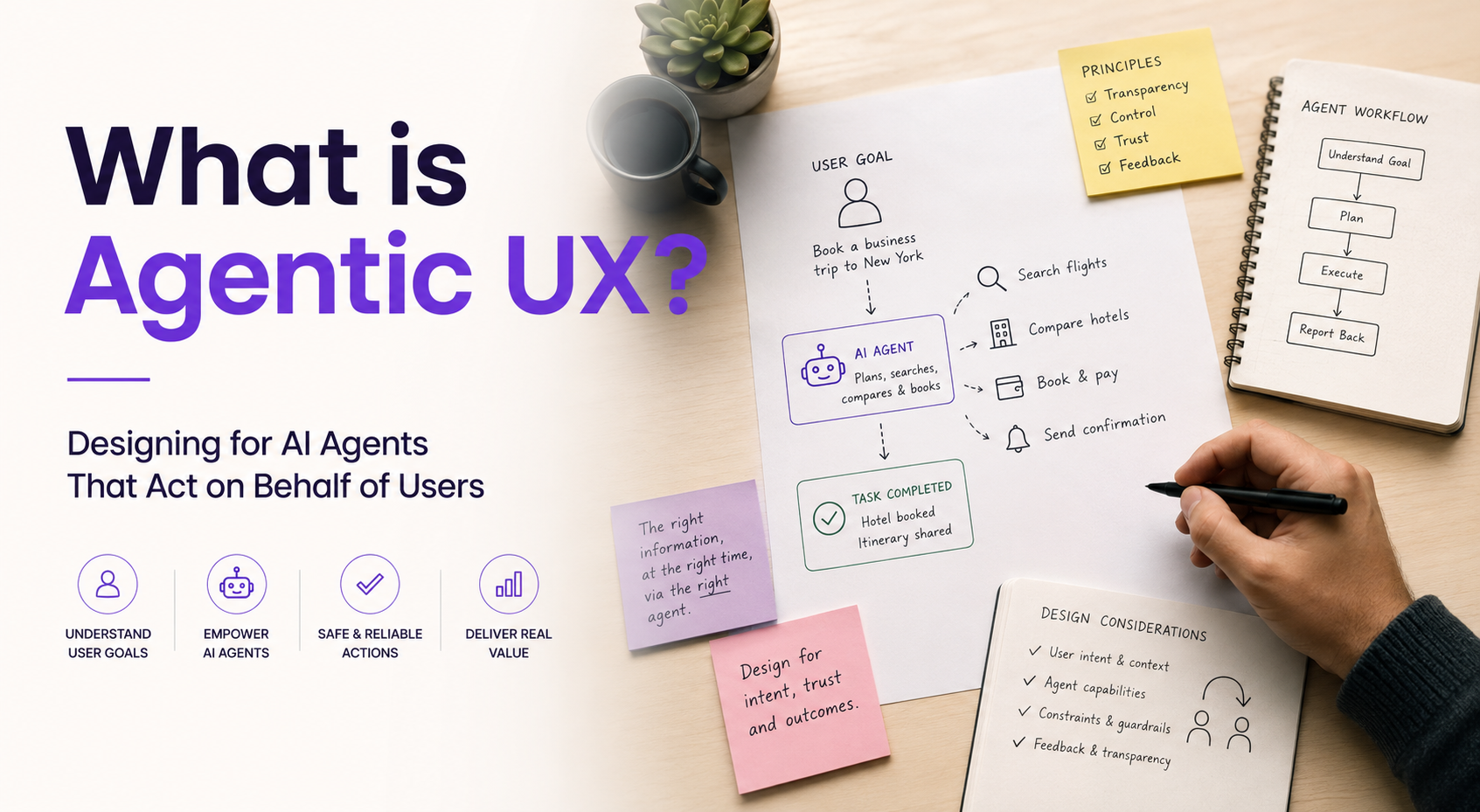
Introduction: The Interface Just Changed Its Job Description
For the last thirty years, every UX designer worked on the same fundamental problem: how do we help a person navigate from A to B?
We designed buttons, flows, menus, and modals. We optimised tap targets, reduced cognitive load, and refined every pixel of the journey. The user was the driver. The interface was the road. Design was about making the road as clear and frictionless as possible.
That contract is breaking.
In 2026, a new kind of system is being deployed at scale — one that does not wait to be navigated. It perceives context, infers intent, makes decisions, and takes actions on behalf of the user, often without waiting for explicit commands. These systems do not just respond. They initiate. They do not just display options. They restructure entire journeys.
The interface is no longer the product. Intelligence is the product. And that changes everything.
This is Agentic UX — one of the most important, least-understood disciplines in design right now. This blog is your complete guide: what it is, how it differs from everything you have designed before, the patterns that actually work, and what this means for your career and the products you will build next.
What Exactly Is Agentic UX?
The Definition
Agentic UX is the practice of designing user experiences for AI systems that can act autonomously — planning multi-step tasks, using external tools, making decisions, and taking real-world actions toward a user-defined goal, without requiring step-by-step human direction at every stage.
Traditional UX design assumes the user is always in control. Every action requires deliberate input. The system waits. The user decides. The system executes.
Agentic UX flips this. The user sets the goal. The agent figures out and executes the path to get there.
A Simple Illustration
Traditional UX: You open a travel app, search flights, filter by price, select a flight, enter your details, and confirm payment. Seven screens. Twelve taps. Four minutes.
Agentic UX: You tell an agent: “Book the cheapest direct flight to Delhi on Friday that gets me there before 2pm, use my saved card, and add it to my calendar.” The agent does all of that — and comes back to you only if it needs to choose between two options that are genuinely equal on your stated criteria.
The agent acted. You supervised.
Why This Is a Seismic Design Shift
Every decade of design has had a turning point. The web forced designers to think about navigation at scale. Mobile compressed interaction into gestures and touch. SaaS made systems thinking unavoidable. Agentic AI is the next tectonic shift — and unlike past waves, it does not just add a new surface. It changes what a surface is for.
We are no longer designing static screens for users to navigate. We are designing behaviours, trust protocols, and handoff points for systems that operate autonomously on behalf of real people.
Agentic AI vs Copilot: A Distinction That Matters for Design
Designers often conflate AI copilots and AI agents. They are fundamentally different, and the UX patterns for each are completely different too.
AI Copilot: Assistive, Human-Directed
A copilot works alongside you. It appears when summoned — in a sidebar, a chat panel, or an inline suggestion. It responds when prompted. It recommends; you decide. You are always in the driver’s seat. The design patterns are established: input field, response area, feedback mechanism.
Example: An analyst asks a BI tool: “Show me revenue by region for last quarter.” The copilot drafts a query, displays a chart, and lets the analyst adjust before finalising. Every step requires human confirmation.
AI Agent: Autonomous, Goal-Directed
An agent acts on your behalf without being asked at every step. It plans, executes, monitors, and adjusts autonomously to achieve a goal you set. A copilot waits for instructions. An agent needs a fundamentally different interface vocabulary.
Example: A developer tells an agentic coding tool to “fix all failing tests in the authentication module.” The agent reads the codebase, identifies root causes, writes fixes, runs tests, catches new failures, iterates, and presents a final pull request — only escalating when it hits a decision it genuinely cannot make alone.
Why This Distinction Is Critical for Designers
The design problems are categorically different. The cost of a wrong answer from a copilot is mild inconvenience. The cost of a wrong action from an agent is a deleted file, an unwanted financial charge, or a misrouted customer email sent to 10,000 people. The stakes of agentic design are fundamentally higher, which is why the design discipline is fundamentally more demanding.
The Scale of What Is Coming
Before diving into design patterns, let us understand the scope of the shift.
Stat
Source
40% of enterprise applications will integrate task-specific AI agents by end of 2026
Gartner
Up from under 5% in 2025 — an 8x jump in a single year
Gartner
24% of business leaders already deploying agentic AI systems
EY AIdea of India Report 2026
Agentic AI market projected to reach $10+ billion
Agentic Design AI 2026
Most of these implementations need interface layers that did not exist a year ago
FuseLab Creative, May 2026
Nvidia, Adobe, Salesforce, SAP, ServiceNow, and Google Cloud all doubled down on agent infrastructure in early 2026. The models are being built. The pipelines are being wired. The missing piece — the layer almost no one has designed well yet — is the interface between autonomous action and human trust.
That is the gap Agentic UX fills. And right now, very few designers know how to fill it.
Why Traditional UX Patterns Break in Agentic Systems
Let us be precise about what fails, and why.
Problem 1: Passive Interfaces Were Never Designed for Action
Traditional UX assumes the user triggers every action. Every button click, every form submission, every navigation step is a deliberate human choice. Agentic systems break this assumption entirely. The agent is taking actions — sometimes dozens of them — before the user sees any output at all.
Problem 2: Confirmation Dialogs Do Not Scale
“Are you sure you want to do this?” works fine when a user is about to delete a single file. It completely fails when an agent is about to execute a 47-step workflow across four platforms. You cannot interrupt autonomous processes with endless confirmation modals — users stop reading them. But you also cannot let agents act without any oversight. The design challenge is deciding which moments require human confirmation, and which can proceed autonomously.
Problem 3: There Is No Back Button for Real-World Actions
In traditional UX, most errors are recoverable. You navigate back, you undo, you resubmit. In agentic systems, actions have real-world consequences — emails sent, payments processed, bookings confirmed, records updated. Once an agent takes a consequential action, “undo” may not be technically possible. This is a design problem that did not exist in the button-and-form era.
Problem 4: Users Cannot Form Mental Models of Invisible Processes
Users understand a button because they can see it and predict what pressing it will do. Users cannot easily form a mental model of a multi-step autonomous process happening in the background. Without a carefully designed transparency layer, the agent feels like a black box — and black boxes destroy trust the moment they make a single unexpected decision.
The 7 Core Patterns of Agentic UX Design
These are the design patterns that the most successful agentic products in 2026 are using. Each addresses one of the fundamental trust and control challenges of autonomous systems.
Pattern 1: Goal-First Onboarding
The problem: Traditional onboarding teaches users how to use a UI. In an agentic world, users expect outcomes, not tutorials.
The pattern: Instead of walking users through screens, design onboarding around defining goals, constraints, and priorities. Let the user describe what they want to achieve — and let the agent immediately demonstrate it can work toward that goal.
Why it works: The first interaction sets the trust baseline for the entire relationship. An agent that proves its value in the first sixty seconds earns permission to act more autonomously going forward. Goal-first onboarding identifies user intent and has the AI build a workflow instantly, proving its value from the very first interaction.
Design principle: Onboard to outcomes, not to features.
Pattern 2: Progressive Autonomy
The problem: Giving an agent full autonomy on day one is terrifying for users. Giving it no autonomy makes it useless.
The pattern: Design three levels of autonomy that increase as trust builds:
- Level 1 — Suggest: Agent proposes actions. User approves each one before execution. Best for new users and high-stakes contexts.
- Level 2 — Execute with Notify: Agent acts autonomously on routine tasks, but tells the user what it did and why. User can review and reverse.
- Level 3 — Full Autonomy: Agent operates independently within agreed boundaries. Escalates only for genuinely novel decisions or exceptions.
Why it works: Trust is earned incrementally, not granted upfront. Designers should move to Level 2 for production, and only reach Level 3 once users consistently trust agent decisions.
Design principle: Earn more autonomy as trust accumulates — not before.
Pattern 3: The Transparency Layer (Show Enough, Not Everything)
The problem: Hiding agent reasoning feels like a black box. Showing everything creates information overload and anxiety.
The pattern: Design a transparency layer that shows enough, at the right time, in the right place. A simple design check: would a user understand what just happened without extra effort? If not, trust is already at risk.
Transparency in agentic AI UX includes plain-language action summaries, reasoning explanations available on demand (not forced), step-by-step progress indicators for multi-step tasks, and clear differentiation between what the agent decided vs what it was told to do.
Real-world example: Grammarly’s inline suggestions are a strong transparency model. You see the change. You see why it is suggested. You accept or reject with one click. It learns from your choices. Full visibility, zero overwhelm.
Design principle: Transparency is not about showing everything. It is about showing enough.
Pattern 4: Intervention Points at Every Meaningful Step
The problem: Users feel powerless when they cannot redirect an autonomous process mid-execution.
The pattern: Design explicit intervention points — places where the user can pause, modify, override, or redirect the agent’s work without restarting from scratch. These are not error states or last resorts. They are first-class design features.
Even in highly autonomous systems, users must retain the ability to pause, modify, override, or reverse AI actions. Human intervention must be a core feature, not an edge case — especially in high-stakes workflows where AI decisions have real-world consequences.
What intervention points look like:
- A visible “pause” control on any running agent task
- Mid-process checkpoints on multi-step workflows
- Easy goal modification without cancelling existing progress
- An escalation pathway that feels natural, not alarming
Design principle: Control does not mean friction. It means confidence.
Pattern 5: Reversibility and the Action Audit Log
The problem: Nothing destroys trust faster than an agent taking an action you cannot undo, without warning.
The pattern: Design for reversibility at every layer. This means:
- Action Audit Log — a clear, chronological record of every action the agent has taken, with reasoning visible on demand
- Undo with Time Windows — for actions that become irreversible after a point (a non-refundable booking, a sent email), the UI must communicate the time window explicitly. “Undo available for 15 minutes” is an honest, trust-building design choice
- Graceful Error Recovery — when the agent gets something wrong, the recovery path must be as simple as the original delegation
Nothing builds confidence in an autonomous system faster than knowing you can reverse what it did. An audit log does not just help when things go wrong. It reduces anxiety before things go wrong — which means users are more willing to grant autonomy in the first place.
Metric to watch: Track your Reversion Rate (undo actions divided by total actions performed). If it exceeds 5% for a specific task, the agent is not ready for full autonomy on that task.
Real-world example: Salesforce Agentforce Observability logs every agent interaction — inputs, reasoning steps, actions taken, and guardrails triggered — in a unified dashboard. Their VP of AI summed up the principle perfectly: “You can’t scale what you can’t see.”
Design principle: Reversibility is the foundation of agentic trust.
Pattern 6: Explainability on Demand
The problem: Technical explanations of agent reasoning confuse most users. But no explanation at all is worse.
The pattern: Design explainability as a user-triggered feature, not a default output. Users who want to understand why the agent made a decision can access it. Users who just want the outcome do not have to wade through it.
What “Explainability on Demand” looks like:
- A small “Why did this happen?” link next to any autonomous action
- Expandable reasoning panels on agent decision summaries
- Plain-language, not technical, explanations
- Context-specific explanations (not generic AI disclaimers)
This is especially important in regulated industries like fintech, healthcare, and legal services, where users and compliance teams need to audit agent decisions.
Design principle: Explanation is a feature. Make it accessible, not mandatory.
Pattern 7: Sandbox Mode Before Consequential Deployment
The problem: Users and organisations are often reluctant to let AI agents take real-world actions until they have seen how the system behaves in practice.
The pattern: Design a simulation or sandbox mode that lets users safely observe how the agent would behave on real tasks — without the consequences. The agent plans, the user watches, and nothing is executed until the user is ready to grant live permissions.
Sandbox mode is especially important in fintech, healthcare, and legal workflows where errors are costly and experimentation must be risk-free. Letting users safely simulate outcomes builds the trust required before handing over real autonomy.
Design principle: Let users see the agent act before they let it act.
The 5 Anti-Patterns to Avoid
Equally important as knowing what to design is knowing what not to build. These are the most common agentic UX failures in 2026.
1. The Confirmation Flood — Asking for approval on every micro-decision. If the agent requires user confirmation for each of 47 steps, it is not an agent. It is a slower version of doing the task yourself. Users stop reading prompts. Approvals become meaningless rubber-stamping. Design for meaningful checkpoints, not endless confirmations.
2. The Black Box — Agents that take actions with no explanation and no audit trail. One unexpected decision — an email sent to the wrong person, a payment charged to the wrong account — without any visible reasoning, and the user will never trust the system again. Black boxes do not scale.
3. No Undo, No Warning — Allowing agents to take irreversible actions without explicitly communicating that the action cannot be undone. This is the single fastest way to permanently destroy user trust. Always surface the irreversibility before the action, never after.
4. Autonomy Before Trust — Deploying Level 3 autonomy to users who have never seen Level 1. Trust must be earned through demonstrated competence and transparency. Skipping straight to full autonomy almost always results in user backlash the first time the agent makes a mistake.
5. Designing for the Happy Path Only — Agentic systems make mistakes. They hallucinate. They misread context. They act on ambiguous goals in unexpected ways. Designing only for successful task completion, with no graceful error recovery or failure states, means every error feels like a catastrophic system failure rather than a recoverable exception.
Real-World Agentic UX in 2026
Theory is important. Real products are more instructive. Here is where agentic UX is already deployed and generating results.
GitHub Copilot → GitHub Copilot App (May 2026): Moved from a coding assistant to a full agentic desktop workflow. Tasks run in their own sessions via git worktrees, enabling parallel autonomous work. The agent plans, writes code, runs tests, and creates pull requests — escalating to the developer only for architectural decisions that require human judgment.
Salesforce Agentforce: Enterprise-grade AI agents handling customer service workflows end-to-end. The Observability dashboard gives operators full visibility into agent reasoning, with complete audit logs of every action, decision, and guardrail triggered. Built from the ground up on the principle: “You can’t scale what you can’t see.”
Insurance Claims Processing: AI agents that understand policy rules, assess damage from images and PDFs, and manage the entire claims lifecycle from intake to payout — without requiring a human adjuster at every step. Human review is triggered only for novel cases, exceptions, and high-value claims above a defined threshold.
AI in Design Tools: Figma’s Make feature now allows agents to take a design brief, generate screen variants, apply design system components, and produce a complete annotated spec — with designers reviewing and directing rather than executing each step.
What Agentic UX Means for Your Design Career
This is not an abstract future topic. It is being built right now, and most design teams are not equipped for it.
The skills that Agentic UX demands are different from those required for traditional product design:
Systems thinking at a new scale. You are no longer designing one screen. You are designing a behaviour framework — the rules, boundaries, and permissions that govern how an autonomous system operates within a product ecosystem.
Trust architecture. Understanding how to build and protect user trust in systems they cannot fully see or control requires a new design literacy. Trust is no longer a soft outcome. It is the primary deliverable.
Edge case obsession. The best agentic UX designers are those who can imagine every way the system could go wrong, and design graceful recovery for each scenario. Happy path thinking is dangerous in agentic design.
Ethics as practice, not principle. When agents act autonomously on behalf of users, the ethical implications of their actions are direct and immediate. Bias, exclusion, privacy violations, and manipulation are design outcomes — not afterthoughts.
Cross-disciplinary fluency. Agentic UX designers need to work closely with AI engineers to understand what the model can and cannot do, with legal and compliance teams on what actions require explicit consent, and with product leaders on what level of autonomy is appropriate for each context.
The designers who develop these skills now are positioning themselves for the most strategically important design work of the next decade.
Frequently Asked Questions
What is Agentic UX in simple terms?
Agentic UX is designing user experiences for AI systems that act autonomously on your behalf. Instead of clicking through a process step by step, you set a goal and the AI agent figures out and executes the steps to get there — booking flights, sending emails, processing paperwork — while the interface keeps you informed and in control.
What is the difference between Agentic UX and traditional UX?
Traditional UX designs passive screens for users to navigate — the user triggers every action. Agentic UX designs for autonomous systems that act independently toward user-defined goals. The design challenge shifts from reducing friction in navigation to building trust, transparency, and control in autonomous action.
What is the difference between an AI agent and an AI copilot?
An AI copilot is assistive — it appears when summoned, responds when prompted, and requires human approval for every action. An AI agent is autonomous — it plans and executes multi-step tasks toward a goal without step-by-step human direction. The design patterns for each are completely different because the stakes of autonomous action are fundamentally higher.
Why is trust the central challenge of Agentic UX design?
Because agents take real-world actions — sending emails, making payments, updating records — that may be difficult or impossible to reverse. A single unexpected action without a visible explanation permanently damages user trust. Every agentic design decision is ultimately a trust architecture decision: how much autonomy to grant, when to ask for confirmation, how to explain reasoning, and how to recover gracefully from errors.
What are the most important UX patterns for designing AI agents?
The seven core patterns are: Goal-First Onboarding, Progressive Autonomy, Transparency Layer, Intervention Points, Reversibility and Audit Logs, Explainability on Demand, and Sandbox Mode. The most critical anti-patterns to avoid are the Confirmation Flood, the Black Box, No-Undo-No-Warning, Autonomy Before Trust, and designing only for the happy path.
How big is the agentic AI market in 2026?
Gartner projects that 40% of enterprise applications will integrate task-specific AI agents by end of 2026 — up from under 5% in 2025. EY reports that 24% of business leaders are already deploying agentic AI systems. The agentic AI market is projected to exceed $10 billion.
Do UX designers need to learn to code to work on agentic systems?
No — but you need to understand how agents work at a conceptual level: what tools they can access, what decisions they make autonomously, and where they need human input. You do not build the engine. You design the dashboard, the guardrails, and the accountability layer between autonomous action and human trust.
What industries are deploying agentic AI UX right now?
The most active deployment areas in 2026 include enterprise software (Salesforce, ServiceNow), software development tools (GitHub Copilot), insurance claims processing, financial services, customer support workflows, healthcare administration, and AI-assisted design tools (Figma, Adobe).
Conclusion: The Era of Passive Interfaces Is Ending
For the past three decades, every interface we designed was fundamentally reactive. The user acted. The system responded. The designer’s job was to make that exchange as clear, fast, and satisfying as possible.
That era is not over — but it is being joined by something new and more demanding.
Agentic UX asks designers to think beyond screens, beyond flows, beyond journeys. It asks us to design for systems that act in the world — that can help, harm, surprise, and disappoint real people without a human confirming every step.
The interface is now the accountability layer between user intent and autonomous action. Not an afterthought applied after the model works — the accountability layer that makes autonomous action trustworthy in the first place.
The designers who understand this now — who can build trust architectures, design graceful recovery from AI errors, and create transparency systems that feel natural rather than alarming — are doing the most important design work of this decade.
This is Agentic UX. It is new, it is complex, and it is the frontier that the best design minds of 2026 are choosing to work on.
The question is whether you will help shape it — or simply live inside what others design.